


 Back
BackHow to Top Up Your StarHub Prepaid Plan?
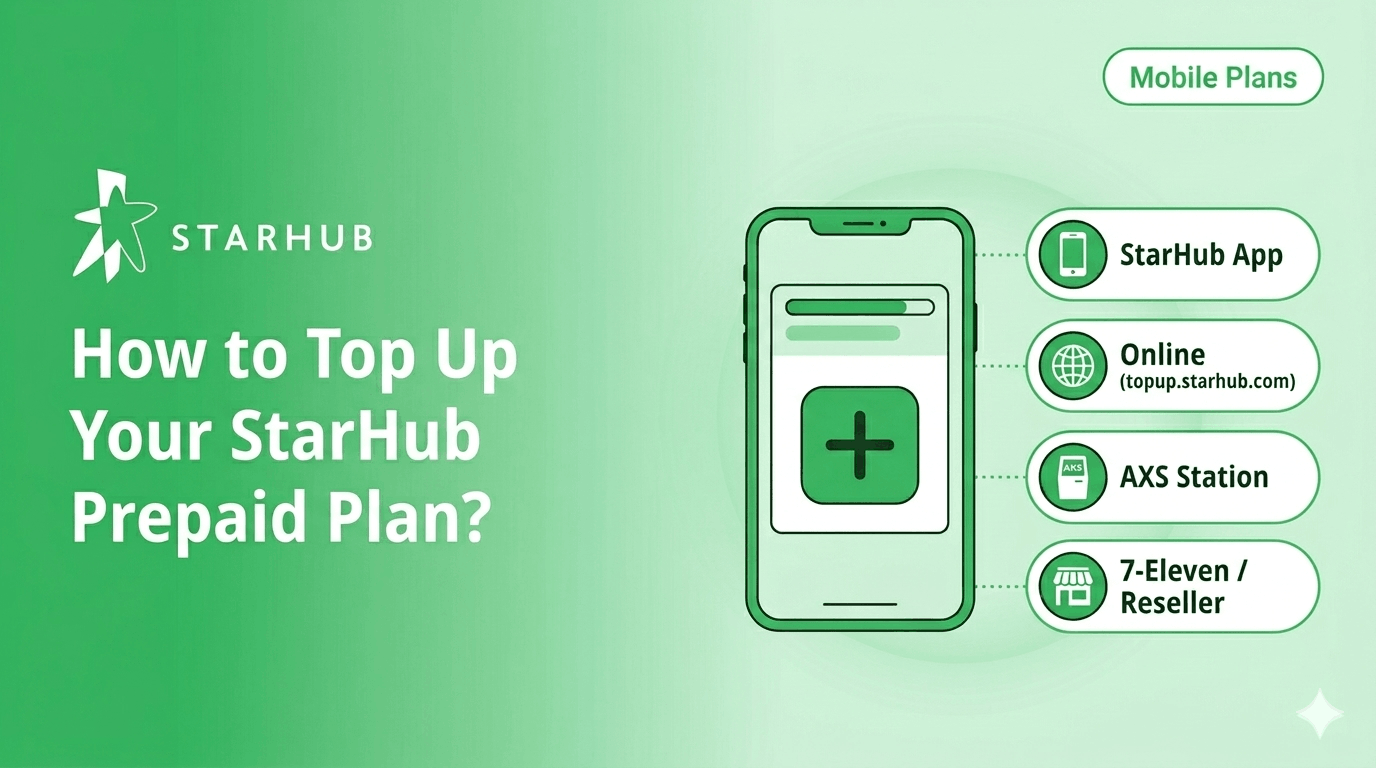
Plan about to expire? Whether you want to use the StarHub App for a 2-minute refresh, pay cash at 7-Eleven, or top up a friend’s number online, we’ve got you covered. Check out our quick guide to the 4 easiest top-up methods and learn how to use Auto-Renewal to stay connected effortlessly.
In This Guide
- All top-up methods at a glance
- How to top up via the StarHub App?
- How to top up online at topup.starhub.com?
- How to top up at an AXS Station?
- How to top up at 7-Eleven or an authorised reseller?
- How to turn on Auto-Renewal?
- What happens if you miss a top-up?
Got an SMS saying your plan is about to expire? The fastest fix is the StarHub App. Tap Top Up on your Mobile Dashboard and you're done in under 2 minutes.
No app? Top up at topup.starhub.com, any AXS Station, or with cash at a nearby 7-Eleven or authorised reseller. This guide covers all 4 methods step by step.
All top-up methods at a glance
Choose the way that works best for you and jump straight to the steps below.
Top up via the StarHub App
This is the quickest option. Works anywhere with WiFi, no need to head out. Good for topping up right before midnight when your plan is about to expire.
👉 Download the StarHub App, available on iOS and Android.
Top up online at topup.starhub.com
No app download needed. Works on any browser, handy if you are on a laptop at work or topping up a family member's number from your own phone.
Topping up someone else's number?
Enter their mobile number in step 2. You pay with your own card and the credit goes directly to their account.
Top up at an AXS Station
There is an AXS machine at almost every MRT station and most malls: Tampines Mall, Jurong Point, Bedok interchange, and plenty more. Pay with NETS or Cashcard, no credit card needed.
Top-up not reflecting?
AXS updates take up to 5 minutes. If your balance still has not changed after that, contact StarHub HubCare through the StarHub App.
Top up at 7-Eleven or an authorised reseller
Buy a physical top-up card at the counter of any 7-Eleven (there are over 400 of them in Singapore), then redeem it through the StarHub App.
How to Turn on Auto-Renewal?
If you're on a fixed plan every month and keep forgetting to renew, Auto-Renewal sorts that. Your card gets charged at the start of each billing cycle and you get an SMS heads-up before it happens. Set it once, done.
Want to turn it off?
Go back to the same toggle in your Mobile Dashboard and switch it to Off, as long as you do this at least 1 hour before your next renewal date.
What happens if you miss a top-up?
If your plan expires, you enter a 120-day grace period before the line is terminated.
Incoming SMS
Mobile Data
Outgoing SMS
Your line is not cut off immediately. You have 120 days to top up and restore full service. During this time, you remain reachable via incoming calls and texts.
To restore service: Top up via any method in this guide and renew your plan. Service resumes immediately. If no top-up is made within 120 days, the line is permanently terminated and remaining credits are forfeited.
Frequently Asked Questions
Open the StarHub App and log in with your prepaid mobile number. Your current balance and data usage are displayed on your Mobile Dashboard. Note: the old USSD code *123# no longer works because it relied on the 3G network, which was shut down in 2024.
Yes. Go to topup.starhub.com and enter the other person's 8-digit prepaid number. You pay with your own card and the credit goes directly to their account. You cannot do this through the StarHub App, which is tied to your own number.
Via the StarHub App and online portal: Visa, Mastercard, and China UnionPay credit or debit cards. Via AXS Station: NETS and Cashcard. Via 7-Eleven and authorised resellers: cash (physical top-up card).
Yes. StarHub Dollars in your wallet carry over month to month and are used before your linked card is charged. However, Add On entitlements such as extra data or IDD minutes expire at the end of your billing cycle and are not carried over.
No. USSD codes including *123# required the 3G network, which StarHub switched off in 2024. All self-service functions (topping up, checking balance, managing add-ons) are now handled through the StarHub App or online at topup.starhub.com.
Ready to top up or explore your prepaid options?
All 3 StarHub Prepaid plans come with local data, unlimited calls and SMS, built-in roaming, and IDD minutes, from $12 a month with no contract.
4G Prepaid: $12/mth
300GB local data, 200GB SEA roaming, unlimited local calls and SMS, up to 500 IDD mins.
5G Prepaid Core: $15/mth
300GB local data, 200GB SEA roaming, 30GB APAC roaming, unlimited local calls and SMS, up to 600 IDD mins.
5G Prepaid Plus: $30/mth
400GB local data, 300GB SEA roaming, 90GB APAC roaming, unlimited local calls and SMS, up to 600 IDD mins.
Disclaimer:
This content is provided for general information and convenience. While we take care in preparing our articles, readers should refer to official sources or professional advice for specific, up-to-date details.
Related Articles
Best Prepaid Plan in Singapore 2026

SIM Only Plan Comparison Singapore [2026]

How to Call Overseas Like it's Local
