


 Back
BackYour Guide to StarHub DeviceDollars
Phone upgrades don't have to hurt your wallet. Here's what you might be missing out on.
Traditionally, upgrading a mobile device in Singapore followed a familiar pattern - You'd sign a 2-year contract, get your phone and essentially wait out the cycle before it made financial sense to upgrade again. It was a straightforward arrangement as it gave you a subsidised device upfront, but it did mean your upgrade timeline was tied to your contract rather than to when you actually wanted or needed a new phone.
However, as mobile needs have evolved with 5G and a preference for SIM-only flexibility, user priorities have shifted toward:
👉 Device Flexibility: Rather than being tied to a fixed 24-month window, users now prefer to wait for a specific device launch or until their current hardware truly needs replacing.
👉 Plan Independence: Having the ability to adjust your mobile plan without affecting your device subsidy offers a new level of convenience as your data needs change.
StarHub's DeviceDollars changes this dynamic by integrating a systematic credit system into your mobile plan. This guide explains how to leverage these credits to lower the cost of your next device - on your own terms.
What Are DeviceDollars?
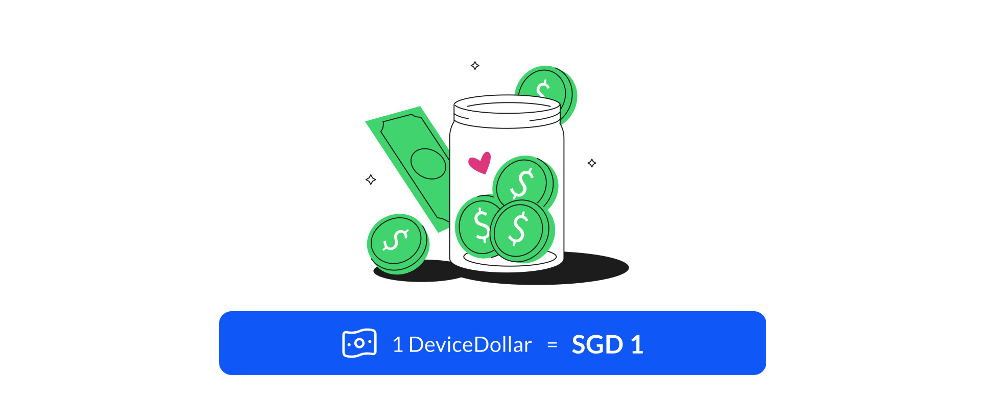
DeviceDollars are monthly device vouchers credited to your DeviceDollars wallet each time your eligible 5G Unlimited+ plan renews. Your wallet is credited upon plan activation and with each successful monthly renewal. There's nothing to sign up for and no action required on your end.
👉 Think of it as a way to spread the cost of your next device over time, passively, without committing to anything upfront. When you're ready to upgrade, the balance is there to be redeemed.
What Can You Do with DeviceDollars?
There are 2 ways to make use of your DeviceDollars, depending on how you prefer to manage your device purchase. Do note that DeviceDollars can only be used for new device purchases under an eligible 5G Unlimited+ plan. They cannot be applied to existing instalment plans, monthly plan renewals, or other services such as broadband or entertainment.
Option 1: Redeem Monthly
If you purchase a device on a Pay Later instalment plan at 0% interest, your DeviceDollars are automatically redeemed each month to offset your instalment payments.
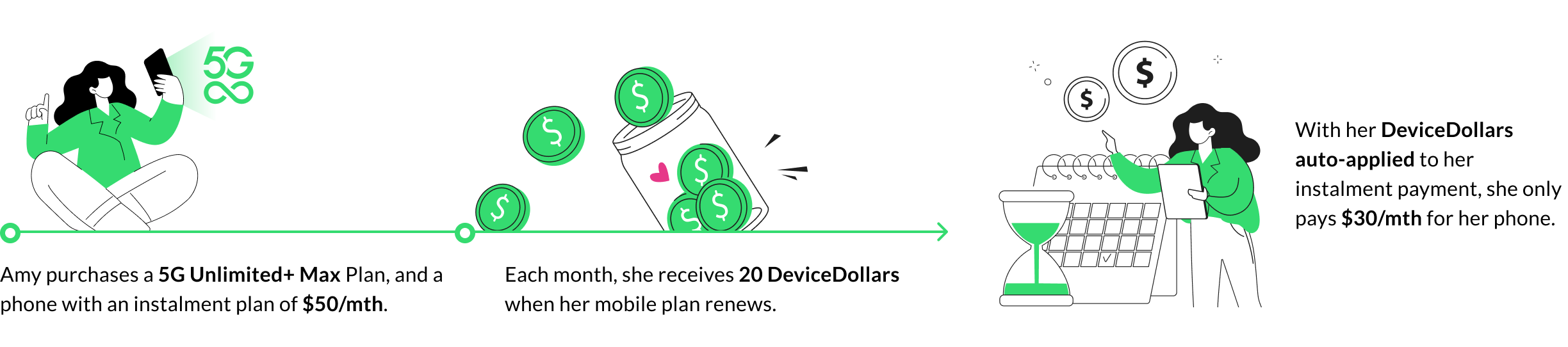
Take Amy as an example. She subscribes to the 5G Unlimited+ Max plan and purchases a phone on an instalment plan of $50 per month. Each time her plan renews, 20 DeviceDollars are credited to her wallet and automatically applied to her instalment. Instead of paying $50 per month for her phone, she pays $30.
⚠️ Do note that if you are signing up for your first eligible plan and purchasing a device at the same time, your first month's DeviceDollars will be credited after your purchase and applied from your second instalment payment onwards.
Option 2: Pay Later with 0% interest instalments
If you're not ready to upgrade just yet, your DeviceDollars simply accumulate in your wallet until you are. There is no cap on how much you can accumulate!
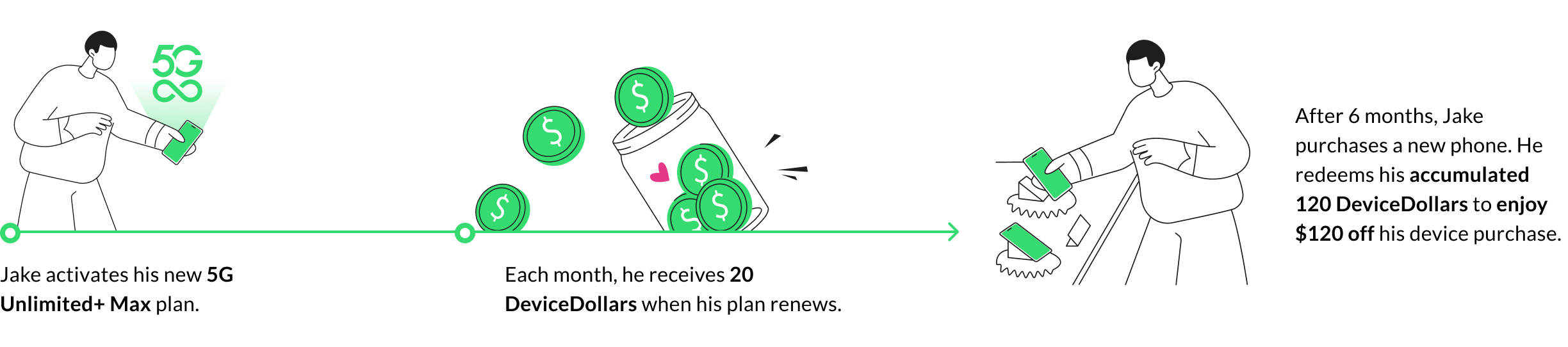
Take Jake as an example. He activates a 5G Unlimited+ Max plan and 20 DeviceDollars are credited to his wallet each month. After 6 months, he decides he's ready for a new phone. He redeems his accumulated 120 DeviceDollars at checkout, taking $120 off his device purchase upfront.
Both options apply to phones, tablets, and wearables available through StarHub.
Your Monthly DeviceDollars, by Plan
| Plan | Monthly price | DeviceDollars credited per month | DeviceDollars credited per year |
| 5G Lite | $25 | Not included | Not included |
| 5G Unlimited+ Core | $38 | $5 | $60 |
| 5G Unlimited+ Plus | $48 | $10 | $120 |
| 5G Unlimited+ Max | $78 | $20 | $240 |
To put this into context: if you're on the 5G Unlimited+ Max plan and hold off on redeeming for 2 years, you'd have $480 credited in your wallet, which is a meaningful offset against most flagship devices.
You Don't Have to Redeem Them Right Away
One of the more practical aspects of DeviceDollars is that there's no pressure to redeem immediately. Your wallet accumulates over time and you decide when it makes sense to upgrade, whether that's 6 months in or 2 years down the road.
This is a meaningful shift from the old contract model, where your upgrade window was largely dictated by when your 2-year term ended. With DeviceDollars, the timing is yours to choose.
That said, it is worth being aware of 3 considerations before you decide when to redeem:
1. Credits expire after 36 months
Each individual amount credited to your wallet is valid for 36 months from its credit date. Credits that have not been redeemed by that point will expire, regardless of whether your plan is still active. You can track your credit dates and available balance in the My StarHub app.
2. Wallet is forfeited if you have no remaining active eligible plans
If you terminate your plan and have no other active eligible plans (5G Unlimited+, 5G Platinum, 5G Senior, or Star Plan) under the same Hub ID account, your unused DeviceDollars will be forfeited. If you still hold at least one active eligible plan under the same account, your balance remains valid until expiry.
If you switch to the 5G Lite plan, no new DeviceDollars will be issued, but your existing balance remains valid until expiry.
3. DeviceDollars are non-transferable
DeviceDollars are tied to your Hub ID account and cannot be transferred to another line or account. They also cannot be withdrawn or exchanged for cash.
💚 Explore 5G Unlimited+ Plans
DeviceDollars is one feature within the broader 5G Unlimited+ plan offering, which also includes unlimited local data, calls and SMS, and built-in roaming (data and unlimited calls and SMS) across 165 destinations, and no-contract flexibility.
If you are not yet on an eligible plan, you can compare the 5G Unlimited Plans to find one that fits your usage or read our SIM Only Plan Comparison guide for a more detailed breakdown. If you are already subscribed, your wallet is active and being credited each month - head to the Perks section of the StarHub app to check your balance.
For a full list of terms and frequently asked questions, visit the DeviceDollars FAQ page.

Related Articles
SIM Only Plan Comparison Singapore [2026]

Best Senior Citizen Mobile Plan Singapore (2026)
