
General
What is StarHub TV+ Pro?
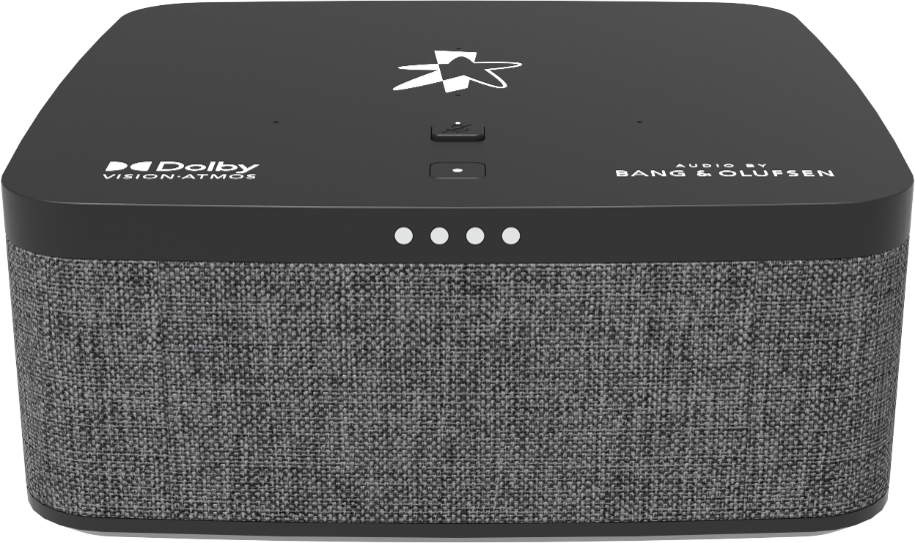
StarHub TV+ Pro is a premium TV+ set-top box available for customers looking beyond an ordinary TV viewing experience. Customers enjoy a cinematic and immersive experience at the comfort of their homes as the TV+ Pro is enhanced with an in-built soundbar custom-tuned by Bang & Olufsen to deliver rich, authentic audio, and is both Dolby Atmos and Dolby Vision certified, thus effortlessly converts home spaces to home cinemas. It also comes with Google Voice Assistant which makes hands-free multi-tasking easier.
How much does it cost to rent a StarHub TV+ Pro? Do I need to be in contract to rent the box?
It costs $15.18/month to rent a StarHub TV+ Pro, contract-free.
How do I rent a StarHub TV+ Pro?
For new to TV+ customers:
- You’ll need to first subscribe to a TV+ pass, then add on the StarHub TV+ Pro during your TV+ purchase. For more details on StarHub TV+ pass, please click here.
For existing TV+ customers:
- You can rent the StarHub TV+ Pro as a second set-top box if your StarHub TV+ Box came free with selected HomeHub+ bundled plans.
- If you would like to exchange your existing StarHub TV+ Box to StarHub TV+ Pro, you will need to return your existing TV+ Box at our main StarHub Shops at Tampines Mall, Parago, NEX or Jurong Point. An Equipment Loss Charge will apply if you do not return your TV+ Box. For more information on how to return your TV+ Box, please read here.
Fibre TV customers recontracting to TV+
- Existing Fibre TV set-top boxes cannot be exchanged to StarHub TV+ Pro. You can recontract to StarHub TV+ pass and add on StarHub TV+ Pro.
What is the difference between the StarHub TV+ Pro, StarHub TV+ Box and the Fibre TV Set-Top Box?
| Main Features | StarHub TV+ Pro | StarHub TV+ Box | Fibre TV Set-Top Box |
|---|---|---|---|
| Live TV | √ | √ | √ |
| Video On Demand | √ | √ | X |
| Audio Features | Audio by Bang & Olufsen (B&O) | Dolby Audio (Dolby Digital Plus) certified | Dolby Audio (Dolby Digital Plus) certified |
| Video Experience | Dolby Vision® Certified Ultra-HD Compatible | Ultra-HD Compatible | Full-HD |
| Recording | √ | √ | √ |
| Time-Shift TV | √ | √ | X |
| Streaming Apps | √ | √ | X |
| Watch across Devices | √ | √ | X |
| Google Voice Search | Handsfree Google Voice Assistant or via remote control | Google Assistant via remote control | X |
| Google Play Store | √ | √ | X |
| Chromecast Built-In | √ | √ | X |
| Parental Control | √ | √ | √ |
Does the StarHub TV+ Pro support Composite Video and Audio (RCA) outputs?
No, the StarHub TV+ Pro only supports High-Definition Multimedia Interface (HDMI) output to High-bandwidth Digital Content Protection (HDCP) compliant television sets for content copyright protection.
Can I use the StarHub TV+ Pro even if I'm not subscribed to a StarHub broadband plan?
You can use the StarHub TV+ Pro even if you're not subscribed to a StarHub broadband plan.
Is the StarHub TV+ Pro compatible with imported television sets?
The StarHub TV+ Pro supports TV signals of 50Hz frequency and up to Ultra HD (4K) video resolution.
Does the StarHub TV+ Pro have the LED clock display on the front panel?
No, there is no LED clock display on the front panel of the StarHub TV+ Pro.
Does the StarHub TV+ Pro have a recording function?
Yes, the StarHub TV+ Box supports recording functionalities via the Cloud Recording Value-Added Service (VAS). More information here.
Can I return the StarHub TV+ Pro at any time? Is there an Early Termination Charge?
You can return the StarHub TV+ Pro at any time with no early termination charge since the rental is contract-free.
How do I return the StarHub TV+ Pro?
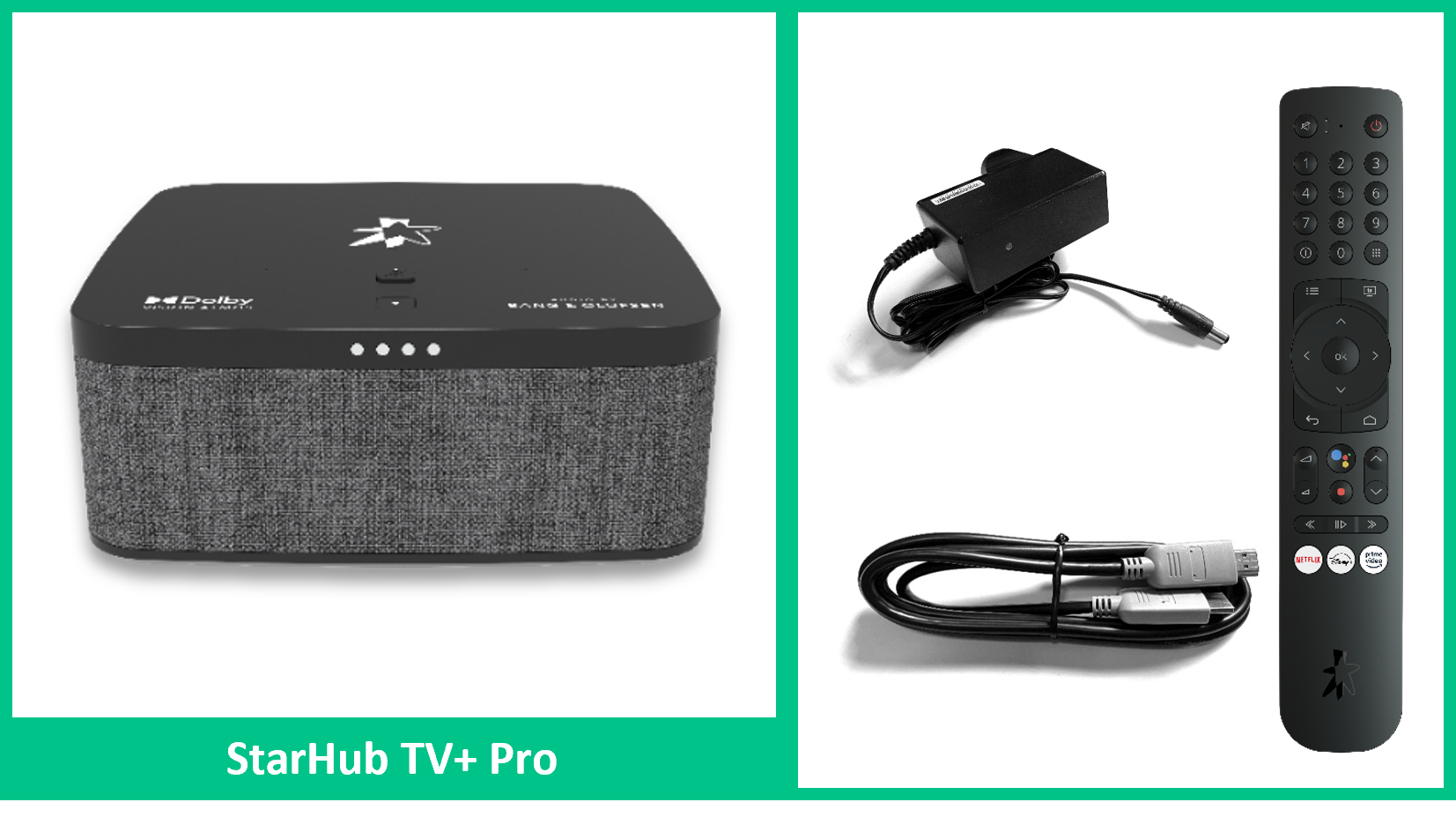
You can return the StarHub TV+ Pro (along with the remote control and power adapter) to the following StarHub Shops during operating hours. Otherwise, an Equipment Loss Charge will be incurred.
- Jurong Point
- Nex
- Paragon
- Tampines Mall
