
General
What is StarHub TV+ Box?
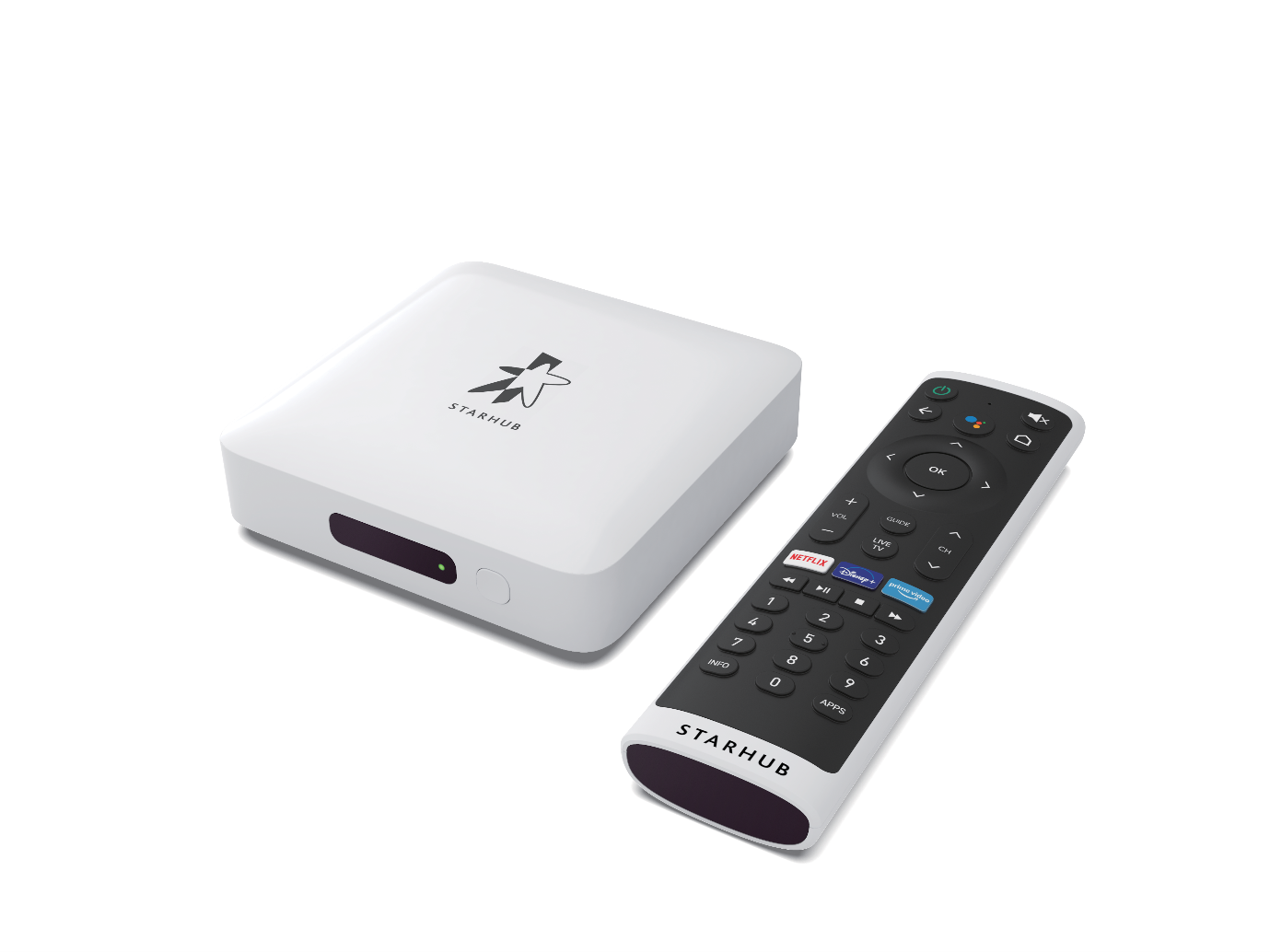
StarHub TV+ Box is the next-generation set-top box which enables unlimited accessibility of StarHub Entertainment and Apps in a single interface. It is powered by the Android TV operating system which provides additional features such as the Google Voice Search, Chromecast built-in and Google Play Store to download apps and games.
What is the difference between the StarHub TV+ Pro, StarHub TV+ Box and the Fibre TV Set-Top Box?
Main Features | StarHub TV+ Pro | StarHub TV+ Box | Fibre TV Set-Top Box |
Live TV | √ | √ | √ |
Video On Demand | √ | √ | X |
Audio Features | Audio by Bang & Olufsen (B&O) Dolby Atmos® certified | Dolby Audio (Dolby Digital Plus) certified | Dolby Audio (Dolby Digital Plus) certified |
Video Experience | Dolby Vision® Certified Ultra-HD Compatible | Ultra-HD Compatible | Full-HD |
Recording | √ | √ | √ |
Time-Shift TV | √ | √ | X |
Streaming Apps | √ | √ | X |
Watch across Devices | √ | √ | X |
Google Voice Search | Handsfree Google Voice Assistant or via remote control | Google Assistant via remote control | X |
Google Play Store | √ | √ | X |
Chromecast Built-In | √ | √ | X |
Parental Control | √ | √ | √ |
Does the StarHub TV+ Box support Composite Video and Audio (RCA) outputs?
No, the StarHub TV+ Box only supports High-Definition Multimedia Interface (HDMI) output to High-bandwidth Digital Content Protection (HDCP) compliant television sets for content copyright protection.
Can I use the StarHub TV+ Box even if I'm not subscribed to a StarHub broadband plan?
You can use the StarHub TV+ Box even if you're not subscribed to a StarHub broadband plan.
Is the StarHub TV+ Box compatible with imported television sets?
The StarHub TV+ Box is compatible with television sets sold locally which supports the 50Hz frequency.
Can I use the StarHub TV+ Box outside Singapore?
You can only use the StarHub TV+ Box in Singapore.
Does the StarHub TV+ Box have the LED clock display on the front panel?
No, there is no LED clock display on the front panel of the StarHub TV+ Box due to the smaller form factor.
Does the StarHub TV+ Box have a recording function?
Yes, the StarHub TV+ Box supports recording functionalities via the Cloud Recording Value-Added Service (VAS). More information here.
Can I request to change to the StarHub TV+ Box without recontracting my Fibre TV current plan?
Yes, you can upgrade your Fibre TV plan to our new StarHub TV+ Pass and the new StarHub TV+ Box without recontracting.
Do I need to return the Fibre TV Set-Top Box when I recontract to StarHub TV+ Pass?
No, you do not need to return the Fibre TV Set-Top Box when you recontract to StarHub TV+ Pass. You may dispose the Fibre TV Set-Top Box at your nearest e-waste recycling bin.
I am an existing StarHub TV customer. Can I continue to watch using my existing Fibre Set-Top Box when I recontract to StarHub TV+ Pass?
No, you will not be able to view StarHub TV+ content on the Fibre TV Set-Top Box. StarHub TV+ Pass offers the flexibility to watch via your own devices and the set-top box is optional.
If you would like to continue to watch via a set-top box, you may rent the StarHub TV+ Box at any StarHub Shops.
I am a new StarHub TV customer. Can I start watching my subscribed channels without the StarHub TV+ Box?
Yes, StarHub TV+ Pass offers the flexibility to watch via your own devices and the set-top box is optional.
I am an existing StarHub TV customer recontracting to StarHub TV+ Pass. Can I continue to watch using my existing Fibre Set-Top Box while I wait for the delivery of the StarHub TV+ Box?
Yes, you can continue to watch your favourite programmes on the Fibre TV Set-Top Box until the day before your delivery. On the day of delivery, our systems will refresh in the morning so that you can connect your StarHub TV+ Box once you receive it.
If your delivery is in the afternoon or evening, you can continue to watch your favourite programmes on the StarHub TV+ app or www.starhubtvplus.com with your Hub iD in the meantime.
I have a StarHub TV+ set-top box and I plan to renovate my house. Do I need to terminate my TV+ service?
How do I return the StarHub TV+ Box?
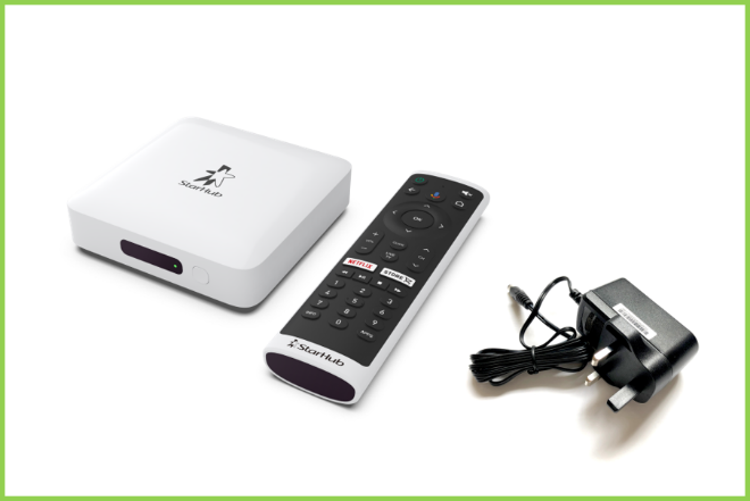
You can return the StarHub TV+ Box (along with the remote control and power adapter) to the following StarHub Shops during operating hours. Otherwise, an Equipment Loss Charge will be incurred.
- Jurong Point
- Nex
- Paragon
- Tampines Mall
Classic Mode
What is Classic Mode?
Enabling Classic Mode on your StarHub TV+ Box allows you to tune in to your last viewed channel automatically whenever the StarHub TV+ Box is turned on. 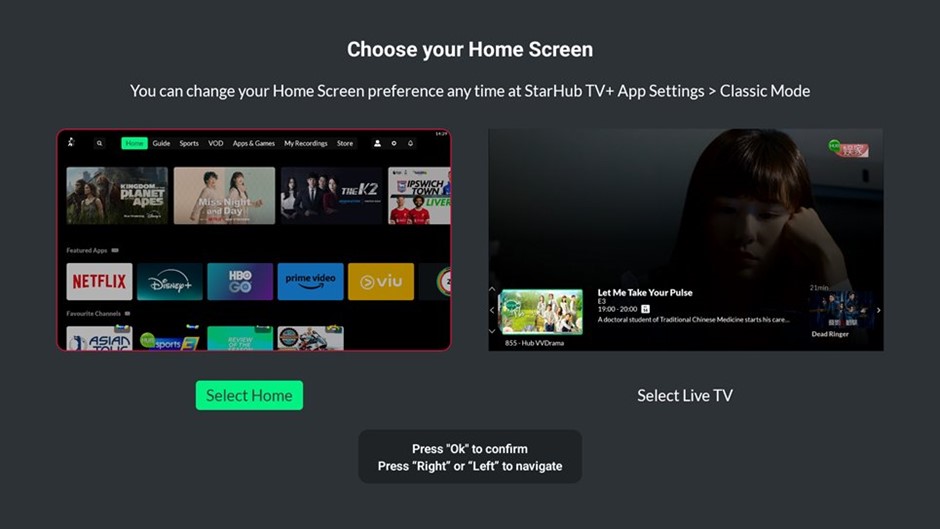
How do I enable classic mode?
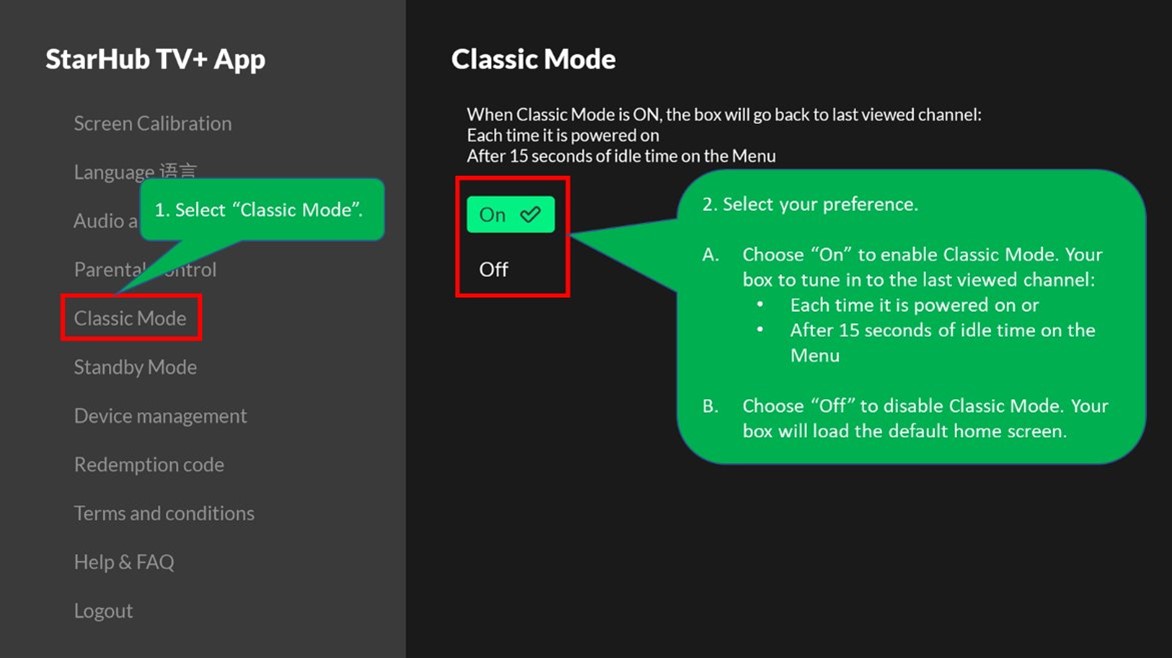
Classic Mode can be switched on/off through StarHub TV+ App Settings:
- Select the gear icon.
- Select "StarHub TV+ App
- Select your preference.
Or 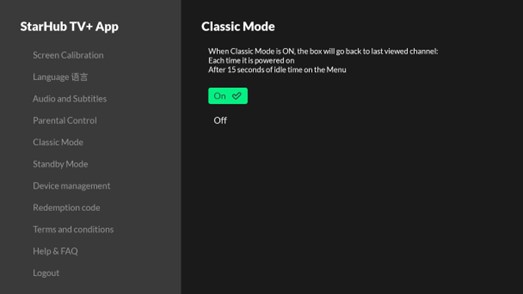
StarHub TV+ Box Troubleshooting
StarHub TV+ Box User Guide
Refer to the User Guide here.
How to set up your StarHub TV+ Box?
You may find troubleshooting and set-up tips here.
How can I rent or get an additional StarHub TV+ Box?
You may visit any of these StarHub shops to rent a StarHub TV+ Box.
Paragon
Nex
Tampines
Jurong Point
Then, you can simply plug-and-play the TV+ box based on the quick start guide attached with the StarHub TV+ Box!
Alternatively, you can also contact us via Facebook or WhatsApp to have the set-top box delivered to your doorstep. Please note that additional charges for delivery and request for installation will apply.
Device Support
My StarHub TV+ Box is not working out-of-the-box. What should I do?
If your StarHub TV+ Box is not working out-of-the-box within the first 14 days, you may contact our HubCare for an 1-1 replacement via delivery to your home address.
Alternatively, you may visit any one of the following StarHub Shops:
• Jurong Point
• Nex
• Paragon
• Tampines Mall
My StarHub TV+ Box or Remote Control is faulty. Where can I do a 1-1 exchange?
You may visit any one of the following StarHub Shops:
• Jurong Point
• Nex
• Paragon
• Tampines Mall
If your StarHub TV+ Box is faulty, please remember to bring along the following:
• StarHub TV+ Box
• Remote Control
• Power Adapter
• HDMI Cable
• Ethernet Cable
If your Remote Control is faulty, you will only need to bring along the Remote Control.
